
How Should a Cash-Pay Medical Practice Set Up Facebook Business Manager? (Why the Clinic — Not the Agency — Must Own the Ad Account)
Most clinic owners discover what Facebook Business Manager is on the worst possible day — the day an ad account gets shut down, an agency relationship ends badly, or a policy flag freezes the campaigns and there’s nobody to call. The setup below takes an afternoon plus a 5–7 day verification wait, and it’s the difference between a marketing operation you own and one you’re renting. Here’s the FAQ on doing it right for a cash-pay medical practice.
Why Does a Cash-Pay Clinic Need a Verified Facebook Business Manager?
Four reasons:
- Credibility with Facebook
- Backup ad accounts
- Access to live support
- Safe agency collaboration
A verified Business Manager shows Facebook you’re a real business with real intent to follow their policies — as opposed to a bot account created to run fake ads, which genuinely happens at scale.
That credibility pays out in concrete privileges.
Credibility With Facebook
A verified business is viewed as more trustworthy by Facebook’s systems.
Backup Ad Accounts
You can create multiple ad accounts, so if one gets shut down for whatever reason, you spin up another and it doesn’t cripple your business.
Access to Live Support
You can open a live chat with Facebook when you hit a policy issue — something you effectively cannot do at all without verification.
Safe Agency Collaboration
You can grant an agency access to your assets without handing over the keys.
For medical advertisers this isn’t optional hygiene.
Categories like:
- Hormones
- Weight loss
- Regenerative treatments
Are exactly the ones Facebook’s automated policy systems scrutinize hardest.
The clinics that survive flags and keep scaling are the ones whose account infrastructure was built before the first campaign, as part of a real medical practice marketing foundation rather than an afterthought.
Should My Agency Run Ads From Their Account or From Mine?
From yours.
Always.
That’s the proper way to do it — and it gives you full transparency on everything they’re doing and spending.
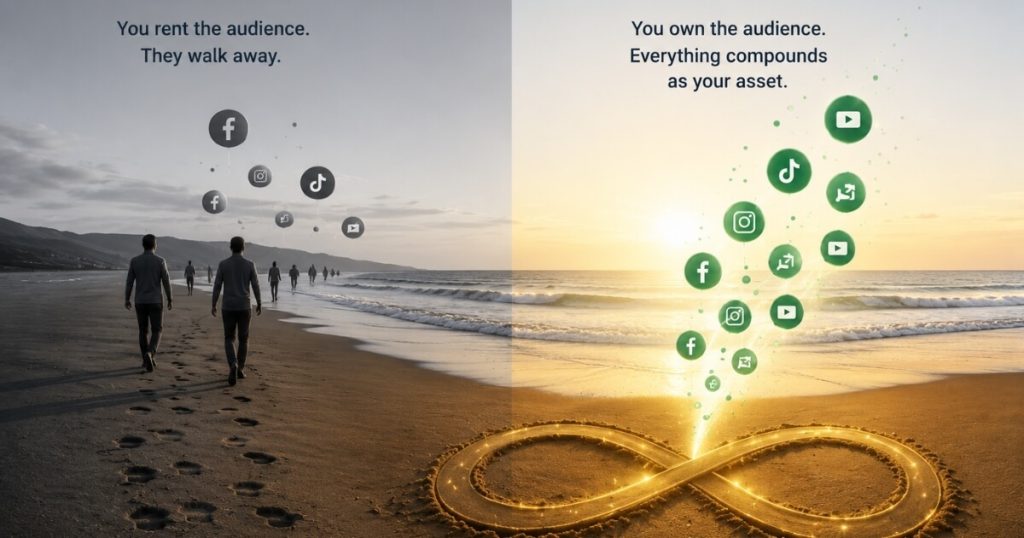
When an agency runs your ads inside its own Business Manager, you don’t own:
- The pixel data
- The audiences
- The creative history
- The spend records
Fire the agency — or get fired by them — and your entire advertising history walks out the door.
When they run ads from your account:
- You see every campaign
- Every dollar spent
- Every result in real time
Everything they build compounds as your asset.
Business Manager makes this clean:
You share access to specific assets:
- Page
- Ad account
- Pixel
Without giving away the farm.
One caveat from the trenches:
If you do this, let them do their job.
Don’t go in and press buttons for them; they hate that, and they’ll fire you.
The owner’s role is oversight, not mid-flight edits.
Done right, the upside is enormous — we added $2M in revenue from Facebook ads for an orthopedic surgeon running exactly this structure: agency hands on the wheel, clinic owning the car.
How Do I Set Up Facebook Business Manager for My Clinic?
Go to business.facebook.com, log in with the account that has ownership access to your business page, and create the business account if one doesn’t already exist.
The login detail matters:
- It must be the profile that owns your clinic’s Facebook page.
- It should not be a manager’s personal account with editor rights.
Once you’re in:
- Open the top-left dropdown.
- Review existing business accounts.
- If none exist, click “Create Business Account.”
- Follow the prompts.
Be as transparent and truthful as you can, because everything you enter will eventually need documentation behind it.
Use information that matches:
- Your legal business name
- Your address
- Your phone number
- Your website
Use information you can back up with paperwork — the lazy version of this form is what causes verification pain later.
What Should I Configure Inside Business Manager Before Running Ads?
Five things, all inside:
Settings → Business Settings
- A second admin
- Two-factor authentication
- Your Facebook page
- Your Instagram account
- Your domain
Add a Second Admin
Under People, add a backup admin.
Examples:
- Spouse
- Business partner
- Trusted executive
If you’re locked out, someone else still has access.
Enable Two-Factor Authentication
Turn on two-factor authentication for both admins.
Medical ad accounts are hijacking targets precisely because they’re pre-approved to spend.
Connect Your Facebook Page
Navigate to:
Pages → Request Access
And connect your clinic page.
Connect Instagram
Navigate to:
Instagram Accounts
And link the Instagram profile.
Verify Your Domain
Navigate to:
Brand Safety
Facebook provides a DNS verification snippet.
If you use GoDaddy and aren’t comfortable with DNS:
Call GoDaddy and they’ll do it for you.
None of these steps spends a dollar, and together they’re the chassis every paid campaign runs on.
We’ve watched the difference at scale:
A weight-loss and medspa clinic we took to $6.7M in added revenue in one year ran multi-channel paid ads on properly owned, verified infrastructure from day one — which is why platform turbulence never stopped the machine.
How Do I Verify My Business Manager (and Why Is It the Most Important Step)?
Business Settings → Business Info → Complete Every Field → Begin Verification
Then:
- Match public records
- Upload documentation
- Wait 5–7 days
It’s the most cumbersome step and the most valuable one.
Step 1: Complete Business Information
Fill out the business info page completely.
Under:
Business Verification Status
You’ll see:
Not Yet Verified
Click:
Begin Verification
Step 2: Match Public Records
Facebook may ask:
Which one of these is your business?
It’s searching public records for businesses with your name and address attached.
Choose the most complete match.
Step 3: Ensure Consistency
Everything must agree:
- Business name
- Address
- Phone number
- Website
Remember who’s grading you:
A robot reviews this information.
If a robot can’t figure out that everything checks out, it gets denied.
Step 4: Upload Documentation
Facebook may request:
- Utility bill
- Articles of incorporation
- Bank statement with business address
Use only documents from Facebook’s approved list.
Step 5: Wait
Approval generally takes:
- 5–7 days after submission
Nobody enjoys this step.
We once had to verify 40 businesses in a single week when Facebook first rolled the requirement out.
Do it once, do it clean, and you never think about it again.
FAQs About Facebook Business Manager for Medical Practices
How Long Does Facebook Business Verification Take?
Five to seven days after you submit, in most cases.
The form-filling itself takes under an hour; the waiting is the review.
Budget for one resubmission if your documentation doesn’t match the business information exactly — mismatches are the most common reason for denial.
What Documents Does Facebook Accept for Business Verification?
Typically:
- A utility bill
- Articles of incorporation
- Or both
Sometimes a bank statement with the business address also works.
Facebook shows you the accepted-documentation list during the flow.
Whatever you upload must show the same business name, address, and details you entered in Business Manager.
Why Did My Facebook Business Verification Get Denied?
Almost always inconsistency.
A robot reviews the submission.
If the:
- Name
- Address
- Phone number
- Website
Don’t exactly match your documents and public records, Facebook cannot verify the business.
Use consistent information everywhere and select the most complete public-record match.
Can a Verified Business Manager Actually Talk to Facebook Support?
Yes.
A verified Business Manager can open a live chat with Facebook when you run into policy issues, which is effectively impossible without verification.
For a medical advertiser whose ads touch reviewed categories like hormones or weight loss, that support line is the difference between:
- A fixable flag
- A dead campaign
If My Agency Runs Ads From My Account, Should I Go In and Adjust Things?
No.
Run ads from your account for transparency — you can see everything they’re doing and spending — but let the agency do its job.
Going in and pressing buttons mid-campaign:
- Breaks tests
- Corrupts learning phases
- Burns the relationship
Watch everything; touch nothing.
What’s the Next Step?
Block out one afternoon this week:
- Create or claim your Business Manager with the login that owns your page.
- Add the second admin.
- Switch on two-factor authentication for both admins.
- Link the Facebook page.
- Link Instagram.
- Link the domain.
- Start the verification process with documents that match your business information exactly.
In 5–7 days you’ll own advertising infrastructure that a shutdown, a flag, or an agency breakup can’t take away from you.
And if you’re about to hand a meaningful ad budget to an agency — or take one back — book a strategy call first.
In 60 minutes we’ll review:
- Your account structure
- Your asset ownership
- Whether your next dollar of ad spend is being built on infrastructure you actually control