
Why Did My Clinic’s Email Open Rate Crash After Switching Platforms? (The Deliverability Fix Most Practices Miss)
A clinic announced its holiday hours to a list of 6,000 patients — and only about 180 of them saw it. That’s not a list problem or a content problem. It’s a deliverability problem, and it almost always shows up right after a practice switches email platforms. Your emails are quietly landing in spam, and the patients you spent years collecting never even see your message. Here’s why it happens and how to fix it — plus how to roll out paperless intake forms the right way.
Why did my email open rate crash after switching from MailChimp to a new platform?
A sudden open-rate collapse right after migrating email platforms almost always means deliverability, not disengagement — your emails are landing in spam or the promotions tab instead of the inbox.
The tell is simple: if the same list pulled close to a 60% open rate on the old platform and only a few percent on the new one, the list is fine.
Nothing about your patients changed overnight.
What changed is where your emails are being delivered.
When you move sending to a new platform, you’re effectively sending from a new “return address.”
If that address isn’t properly authenticated and warmed, inbox providers route your mail to spam.
The 180-of-6,000 holiday email isn’t a fluke — it’s the symptom.
Before you rewrite subject lines, diagnose deliverability.
Don’t blame list fatigue first.
The content was never the problem.
The mailbox placement was.
Your patient list is one of the most valuable assets in your medical practice marketing, and a deliverability failure quietly switches it off.
Why are my clinic’s emails going to spam, and how do I fix it?
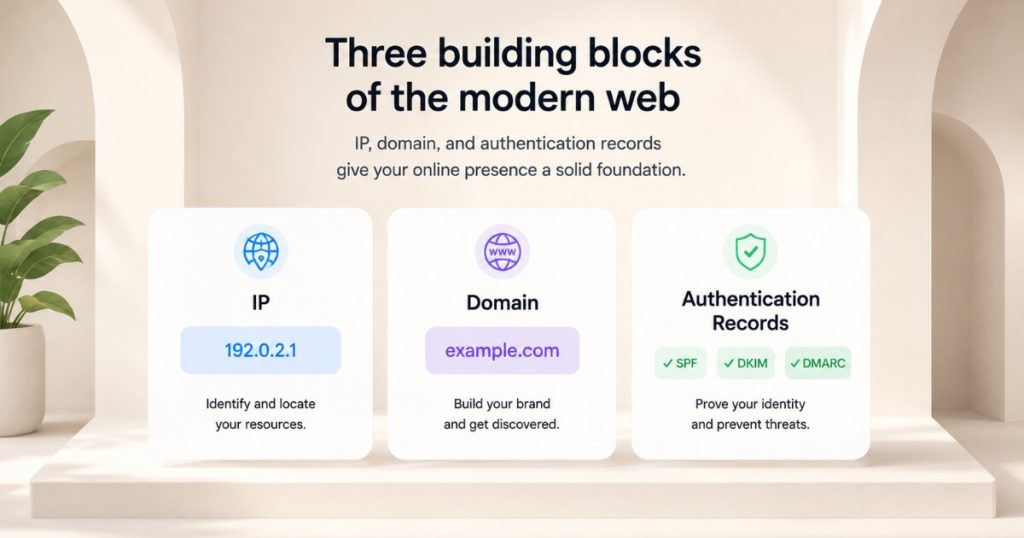
Emails go to spam for one of three reasons:
- Your sending IP is flagged.
- Your sending domain is flagged.
- Your email authentication records — SPF, DKIM, and DMARC — aren’t set up properly.
Work the diagnosis before you rebuild anything.
Capture exactly what you’re seeing.
Record the open rates and where test emails land.
Then escalate it to your platform’s priority support to pinpoint which of the three is the cause on your current setup.
Many of these problems are authentication-record fixes that don’t require changing platforms at all.
If the native sender genuinely can’t be fixed, route your outbound mail through a dedicated SMTP service like Mailgun or SendGrid.
There, you get far more control over deliverability and troubleshooting.
The mistake is jumping straight to “let’s start over with a new email address.”
Diagnose first.
Most of the time the fix is authentication on the domain you already have, not a teardown.
Should I send clinic emails through my CRM’s native sending or connect Mailgun or SendGrid?
Native CRM sending is the fastest to launch.
However, a dedicated SMTP service like Mailgun gives you far more control over deliverability and troubleshooting.
That’s why many operators run their mail through it and even pay for priority support.
Think of SMTP as telling the mailman exactly where you live: you’re pointing your domain at a sender you control, with visibility into what’s getting delivered and why.
Native sending works fine when it’s authenticated correctly, and it’s the right place to start.
But if email is a serious channel for your practice — patient newsletters, reactivation campaigns, appointment nudges — the control of a dedicated provider is worth it.
A spam-placement problem on native sending can be slow and frustrating to diagnose without that visibility.
Start native, but know the upgrade path.
If deliverability becomes a recurring fight, a dedicated SMTP service with real support is the fix.
Do I need to warm up a domain before emailing my patient list, and what happens if I switch senders?
Yes — a new sending domain or subdomain needs a warm-up period before you blast your full list.
Otherwise, you’ll trip spam filters.
And the catch is that spinning up a brand-new email subdomain forces you to start that warm-up over from scratch.
This is exactly why “just make a new email address” is usually the wrong instinct when deliverability breaks.
A fresh subdomain has no sending reputation.
A full-list blast from it looks like spam to inbox providers and gets filtered.
That undoes the very thing you were trying to fix.
The smarter move is almost always to repair authentication on your existing, already-warmed domain rather than reset the clock with a new one.
Protect your domain’s sending reputation like the asset it is.
Warm new senders slowly, and don’t abandon a warmed domain unless you truly have to.
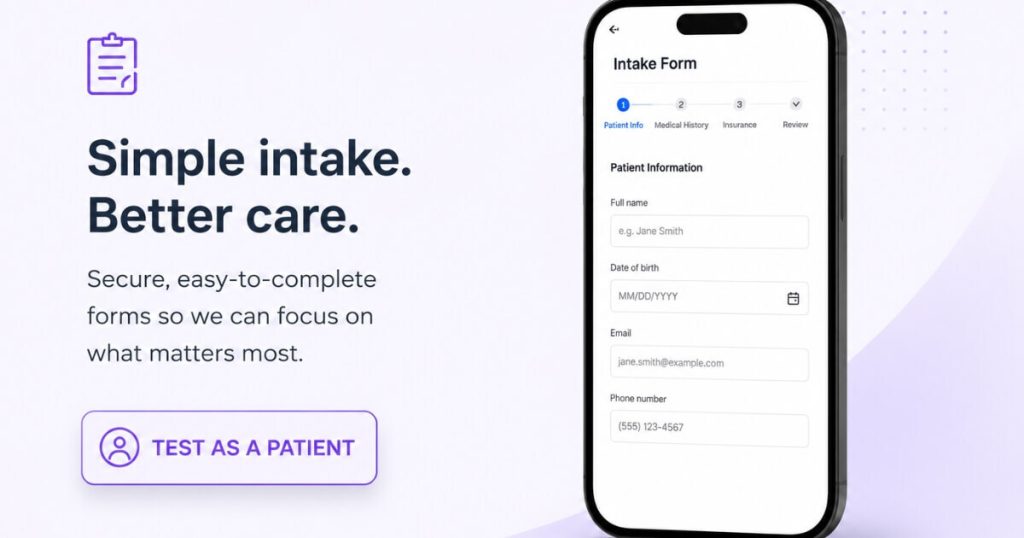
How do I send and test digital intake forms in my CRM before training my front desk?
First confirm the patient exists as a contact in your CRM.
Then open that contact and hit “send via email.”
You’re notified automatically when they complete it, and the finished form saves inside the CRM.
To test it safely, run the full flow yourself using a real contact record and pretend you’re the patient.
Going paperless on intake — replacing printed forms and scanning — only works if the operational details are right.
The hard prerequisite is that the patient must already be a contact in the CRM before a form can be sent.
Make sure your front desk creates the patient in the CRM, not just the EHR, at the same moment they capture name, email, and phone.
For in-office use, the send can auto-route to a shared front-desk inbox so staff pull up the link on an iPad and hand it to the patient.
Before any of this touches a real patient, do a dry run on a test record.
Walk the entire flow, ideally off a short recorded walkthrough.
Then train the team.
Test it as a patient first, fix what’s awkward, then train.
Rolling out an untested form to live patients turns a time-saver into a front-desk fire drill.
Is it HIPAA-compliant for intake forms to auto-CC the front-desk inbox?
The auto-CC to a front-desk inbox is an internal routing notification, not patient-facing exposure.
Staff get a heads-up that a form was sent or completed.
Then they look the completed form up inside the CRM, where the patient’s submitted information actually lives.
The concern people raise is that a completed form “showing up” in a shared inbox feels like exposed PHI.
In a properly configured setup, the inbox only receives the notification; the protected information is stored in the CRM, accessed by staff who need it.
That distinction matters.
Notifications stay in the inbox.
Data stays in the system of record.
This lets the front desk work efficiently (pulling up forms on an iPad, no printing or scanning) without scattering patient data across email.
As always, confirm your specific configuration and business-associate agreements with your compliance advisor.
The routing pattern itself is designed to keep PHI in the CRM, not the inbox.
Build the workflow so notifications travel and data doesn’t.
That’s how paperless intake stays both fast and compliant.
FAQ’s About Clinic Email Deliverability and Intake Forms
Why did my open rate drop after switching email platforms?
A sharp drop right after a platform switch is almost always deliverability, not disengagement — your emails are going to spam or the promotions tab. If the same list opened around 60% before and only a few percent after, the list is fine; the new sender’s authentication and reputation are the problem.
Why are my clinic emails going to spam?
For one of three reasons: a flagged sending IP, a flagged sending domain, or improperly configured SPF/DKIM/DMARC authentication records. Capture what you’re seeing, escalate to your platform’s support to find the cause, and fix authentication before considering a new sender like Mailgun or SendGrid.
Should I use my CRM’s native email or a service like Mailgun?
Native sending is fastest to launch and fine when authenticated correctly. A dedicated SMTP service like Mailgun gives more control and easier troubleshooting, which matters if email is a serious channel. Start native, and move to a dedicated sender if deliverability becomes a recurring fight.
Do I need to warm up a new email domain?
Yes — a new domain or subdomain has no sending reputation and needs a warm-up before full-list blasts, or it trips spam filters. Switching to a brand-new subdomain resets that warm-up, so repairing authentication on your existing warmed domain is usually the better fix.
How do I roll out digital intake forms without chaos?
Make sure each patient is a contact in your CRM first, then send the form via email and let it save back into the CRM on completion. Test the entire flow on a real record as if you were the patient before training staff, so you catch issues before they reach a live patient.
What’s the next step?
If your clinic emails a big list but almost nobody opens them anymore, don’t rewrite the email — diagnose the deliverability.
The crash usually traces to a platform switch, a flagged domain, or broken authentication.
The fix is almost never “start over with a new address.”
Get mailbox placement right and your patient list becomes a revenue channel again instead of a silent one.
If you want help fixing deliverability, choosing a sending setup, and rolling out paperless intake the right way, that’s the conversation to book.
It’s the same operations work behind clinics like Eternity Health Partners, which built $1.7M a year in memberships off the back of owned channels.
We’ll audit your email and intake systems on the call.